Create your PageTruth account
Every account starts on the Free plan: one knowledge base, a hosted help center, the widget and 50 AI answers a month. No card needed.
Before you start
- A work email address, or a Google or Microsoft account.
- Your product's website or docs address handy. Setup can read it for you.
Four steps
Open the sign-up page
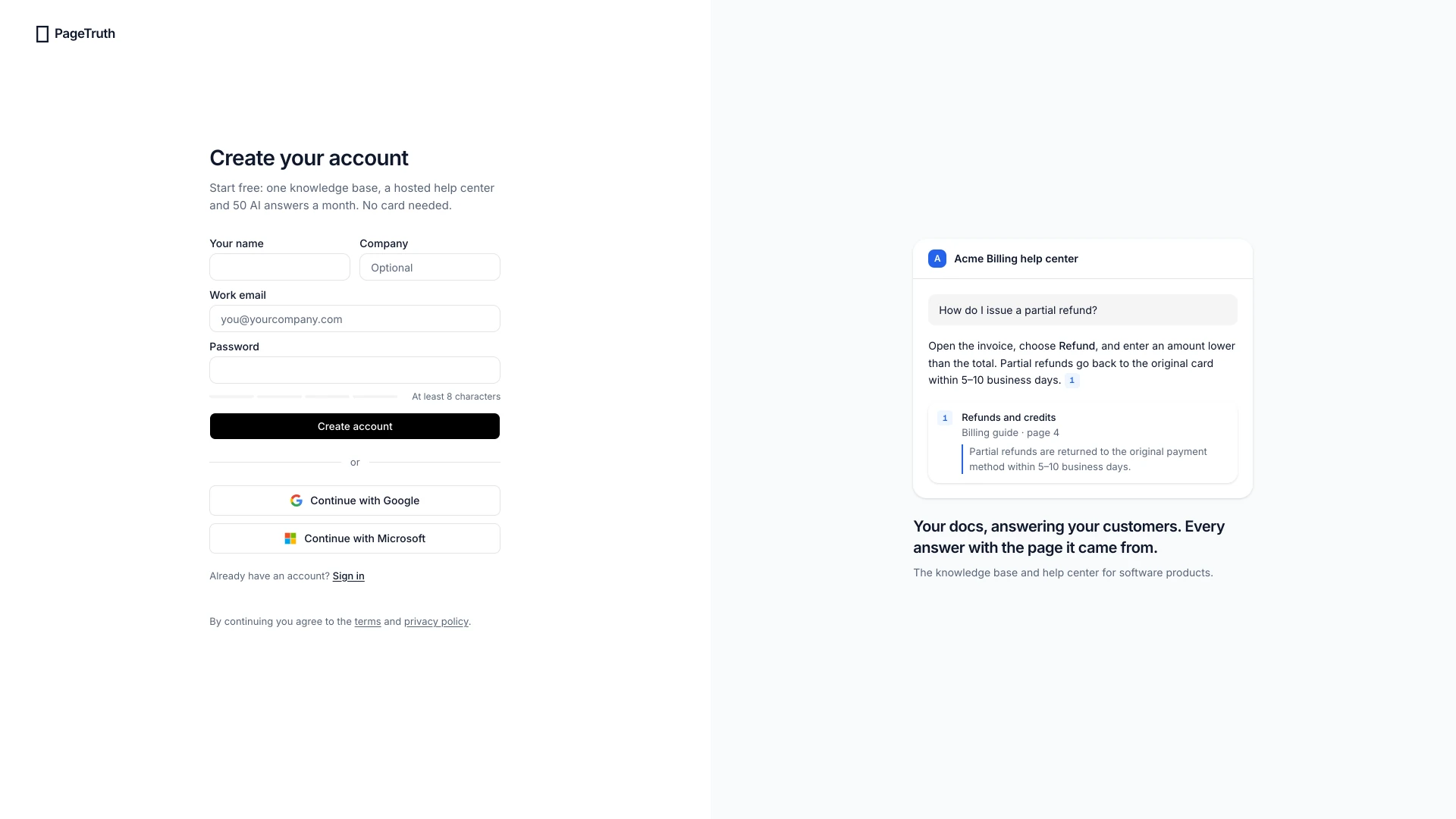
Go to pagetruth.com/signup, or choose Start free on any page of the site. The page opens on Create your account.
Choose how you'll sign in
Choose Continue with Google or Continue with Microsoft to use an account you already have. Or fill in Your name, Company (optional), Work email and Password, then choose Create account.
Passwords need at least 8 characters. The bar under the field shows how strong yours is.
Confirm your email
If you signed up with a password, we send a link to your address. Open it to finish creating your account. It expires in an hour.
Google and Microsoft sign-ups skip this step: those accounts are already confirmed.
Start setup
Confirming signs you in and opens setup, four short steps that end with your help center live. Set up your first knowledge base walks through each one.
You're signed in and looking at the first setup step, Your product.
If something's not right
The confirmation email hasn't arrived
Check your spam or junk folder for a message from hello@pagetruth.com. Still nothing after a few minutes? Go back to the sign-up page and create the account again with the same address; we send a fresh link.
The link says it has expired or was already used
Some email security tools open links before you do, which uses them up. Your account is usually ready anyway: go to Sign in and sign in with your email and password.
It says there is already an account with this email
You signed up before, perhaps with Google or Microsoft. Choose Sign in and use the same method you used the first time.