Choose a plan
Every plan includes the help center, the widget in all four layouts and page-level citations. Plans differ in how many answers, knowledge bases, sources and team members you get. | | Free | Starter | Growth | Scale | | --- | --- | --- | --- | --- | | Price a month, billed monthly | $0 | $39 | $129 | $399 | | Price a month, billed yearly | $0 | $33 | $109 | $339 | | AI answers a month | 50 | 1,000 | 3,000 | 10,000 | | Knowledge bases | 1 | 1 | 3 | 10 | | Sources | 25 | 300 | 1,500 | 5,000 | | Team members | 1 | 3 | 10 | 25 | | Analytics history | 7 days | 30 days | 90 days | 1 year | | Custom domain, no badge, API | | | ✓ | ✓ | Prices are in US dollars. Need more? Write to us about an enterprise plan.
Three steps
Open Billing
Choose Billing under Account in the sidebar.
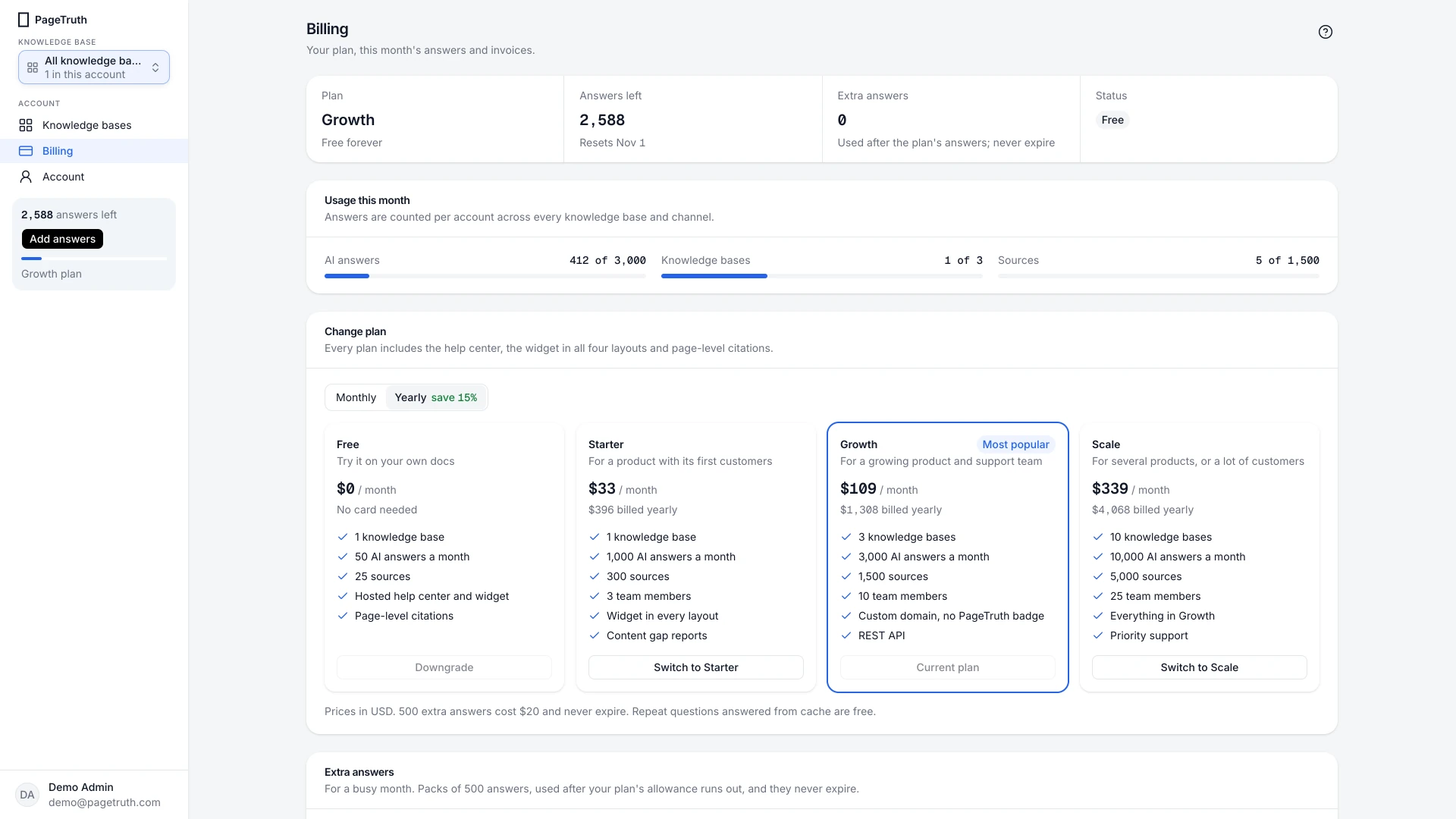
Pick monthly or yearly
Use the switch above the plan cards. Yearly billing saves about 15%.
Choose the plan
Choose Start Starter, Start Growth or Start Scale (or Switch to … if you're already on a paid plan). Stripe's secure checkout opens; enter your card and confirm.
The Plan tile at the top of Billing shows your new plan, and you get a confirmation email.
If something's not right
Checkout closed without paying
Nothing was charged. Choose the plan again whenever you're ready.
I'm on a paid plan and want a different one
Choose Switch to … on the plan you want. The change is prorated: you pay or are credited the difference for the rest of the period. See Change or cancel your plan.