Widget
Choose a widget layout
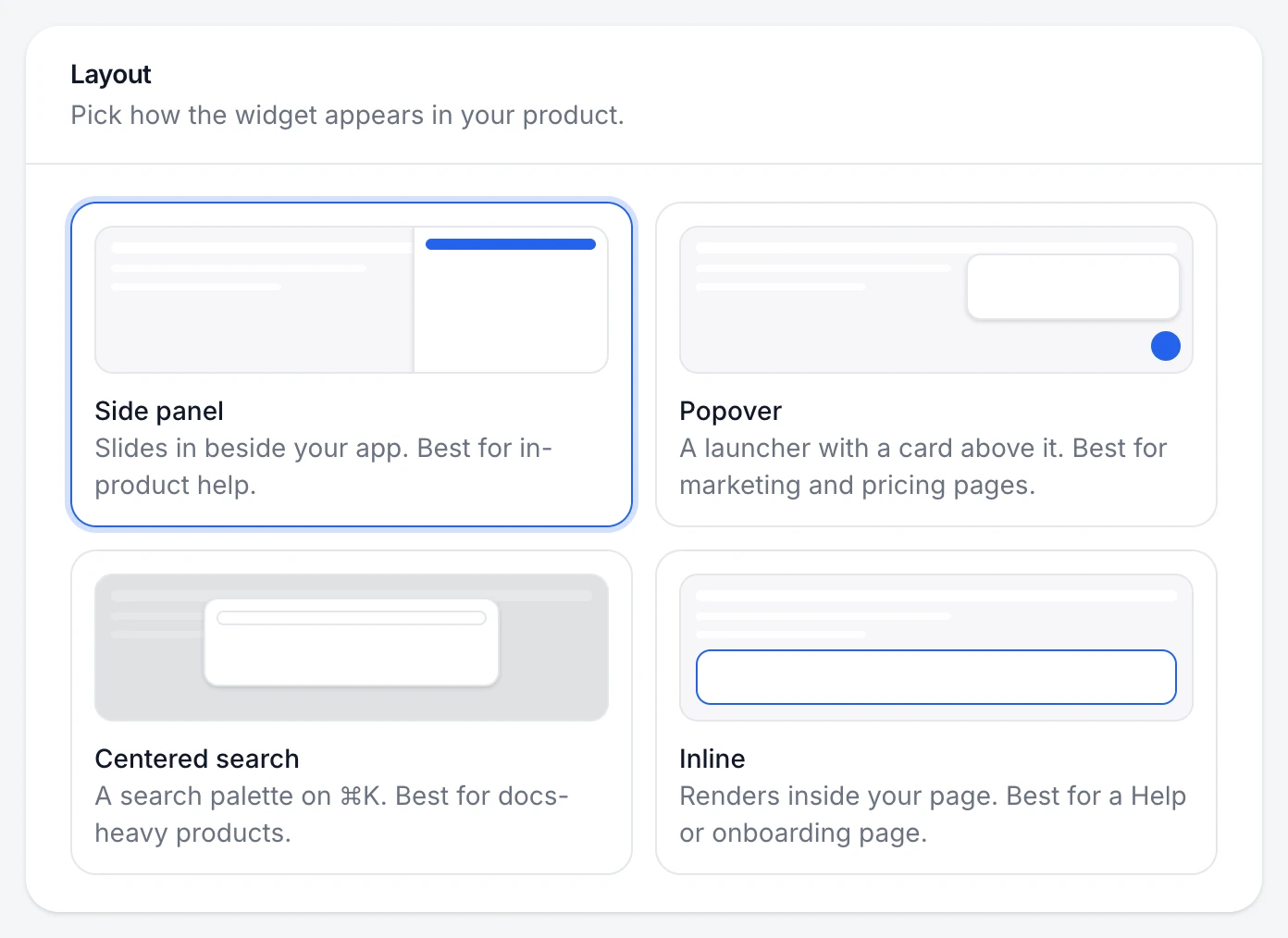
The same widget comes in four layouts. Choose one for the whole site, and override it on a single page if you need to.
The four layouts
| Layout | What it is | Best for |
|---|---|---|
| Side panel | Slides in beside your app, full height | In-product help |
| Popover | A launcher with a card above it | Marketing and pricing pages |
| Centered search | A search palette on ⌘K | Docs-heavy products |
| Inline | Renders inside your page | A Help or onboarding page |
Three steps
Pick the layout
Choose Widget in the sidebar. Under Layout, choose a card. The preview on the right shows it with your settings.
Save
Choose Save changes. Sites with the snippet pick up the new layout on their next page load.
Override it on one page (optional)
Add
data-layoutto the script tag on that page:panel,bubble,modalorinline.<script src="https://pagetruth.com/widget.js" data-key="pk_…" data-layout="modal" async></script>
You're done when
The preview shows the layout you chose, and your site shows it after a refresh.
If something's not right
Position is greyed out
Centered search opens in the middle of the screen and Inline sits in your page, so neither has a corner to choose.
Phones show a full-screen widget
On small screens every layout opens full screen, which is easier to read and type in.
Was this helpful?