Review conversations
Conversations is the record of what your customers asked and what they were told.
Four steps
Open Conversations
Choose Conversations in the sidebar.
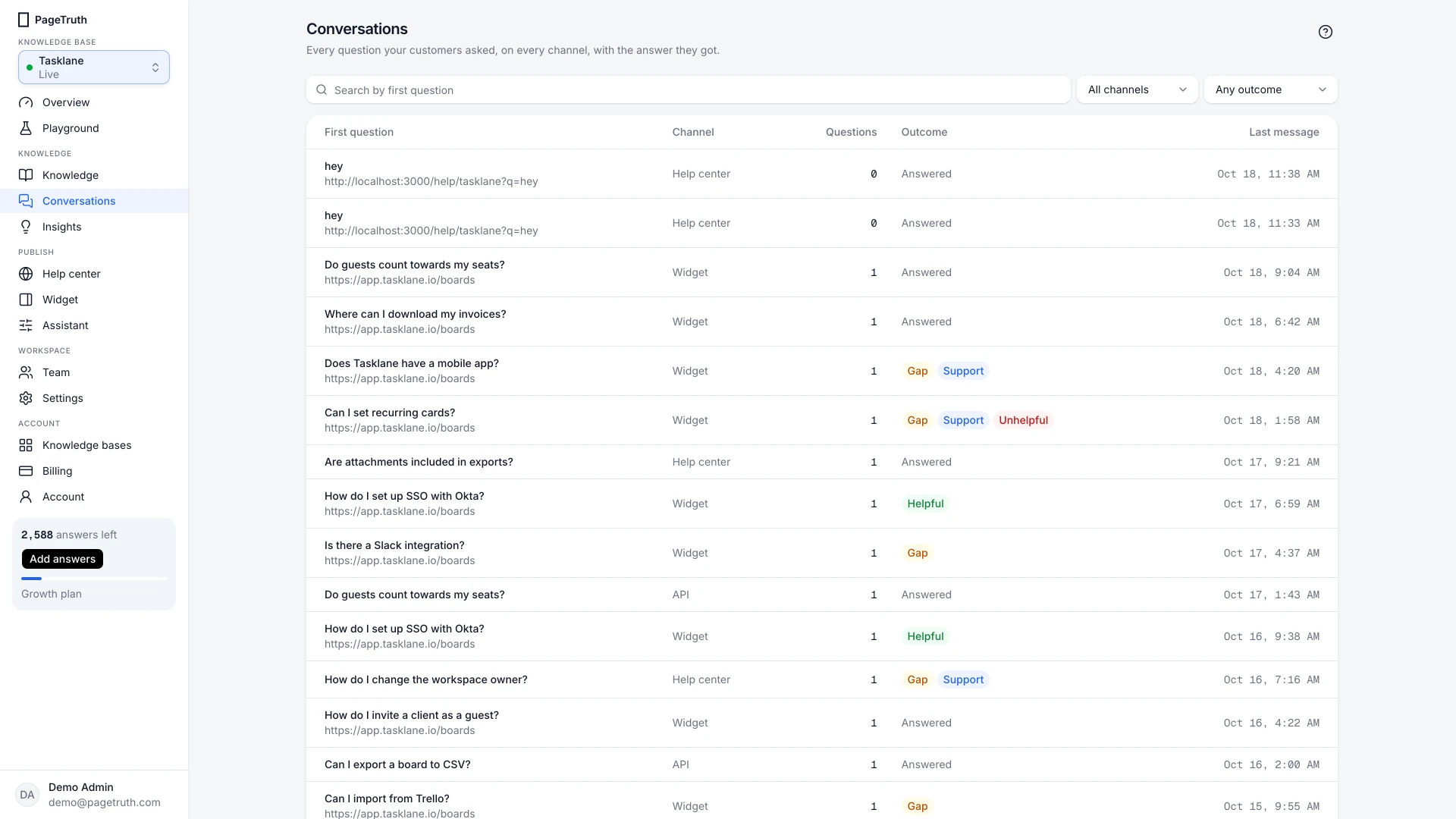
Filter the list
Filter by channel (Widget, Help center or API) and by outcome: Had a content gap, Rated unhelpful, Rated helpful or Handed to support.
Open a conversation
Choose a row to read the whole conversation. Each answer shows its citations, and answers served from cache are marked From cache. The side shows where it was asked: Came from, Asked on and Country.
Act on what you read
If a question wasn't covered, choose Fill this gap to start an article with the question as its title.
You've read the conversations marked unhelpful or with a gap this week, and filled the gaps that matter.
If something's not right
Playground questions aren't here
Playground conversations are private to the person who asked them and stay in the playground's history. Conversations shows your customers' questions.
Can I see who the customer was?
Customers don't sign in, so a conversation shows an anonymous visitor, the page it came from and the country. Questions from the API can carry your own user_id.