Close a content gap
Every question your docs can't answer is a gap, and PageTruth keeps a list. Closing the top few each week is the quickest way to answer more customers.
Watch it done · 0:48
Read the transcript
0:01Here's how to find the questions your docs can't answer, and fix them.
0:06Insights groups the questions your docs couldn't answer, with the most asked first.
0:12You can open the conversation to see exactly what was asked, or go straight to the fix.
0:19The article opens with the question as its title. Write the answer your customers need.
0:30Publish it, and the next customer who asks gets this answer, with a link to the article.
0:35It's listed under Articles straight away, and on your help center as soon as it's indexed.
0:41That gap is closed. Check Insights each week; the digest email lists new gaps too.
Four steps
Open Insights
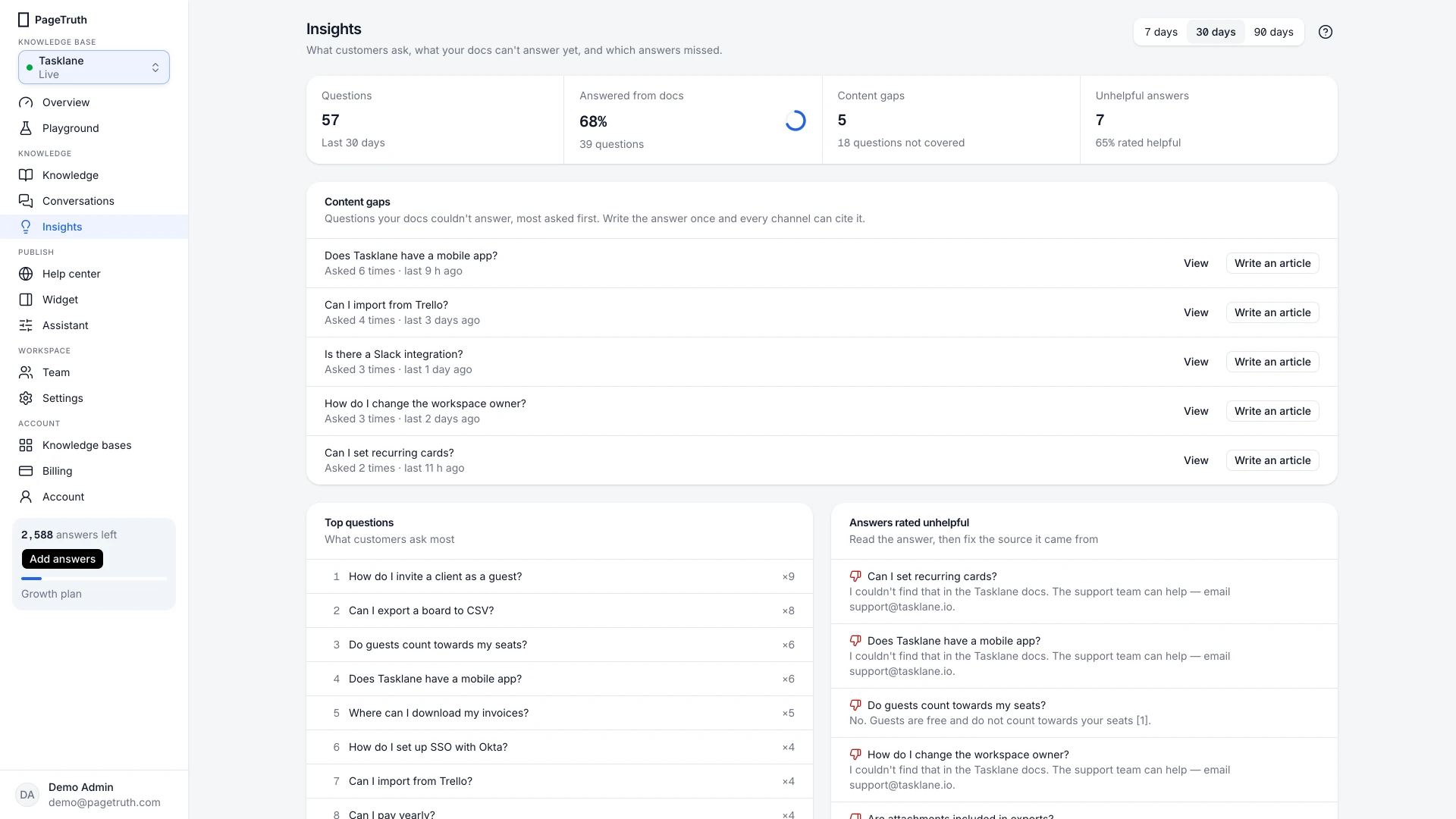
Choose Insights in the sidebar. Content gaps lists the questions your docs couldn't answer, most asked first.
Pick the most asked gap
Start at the top. Similar questions are grouped, so the count shows how many customers asked it.
Write the answer
Choose Write an article. A new article opens with the question as its title. Write the answer the way you'd explain it to a customer, then choose Publish.
Check it in the playground
Ask the same question in the Playground. The answer should now cite your new article.
The question gets a cited answer, and it stops appearing as a new gap.
If something's not right
The gap is really a bug or a missing feature
Some gaps aren't documentation problems. Write a short honest article ("Exporting to CSV isn't available yet; here's the workaround") so customers get an answer, and pass the question to your product team.
I see the same gap under several wordings
Write one article and add the other wordings to its body naturally. Search matches by meaning, so one good article covers them all.