Install the widget
The widget is your help center inside your product. Customers ask without leaving the page they're on, and every answer cites your docs.
Watch it done · 1:21
Read the transcript
0:01Here's how to add the PageTruth widget to your product.
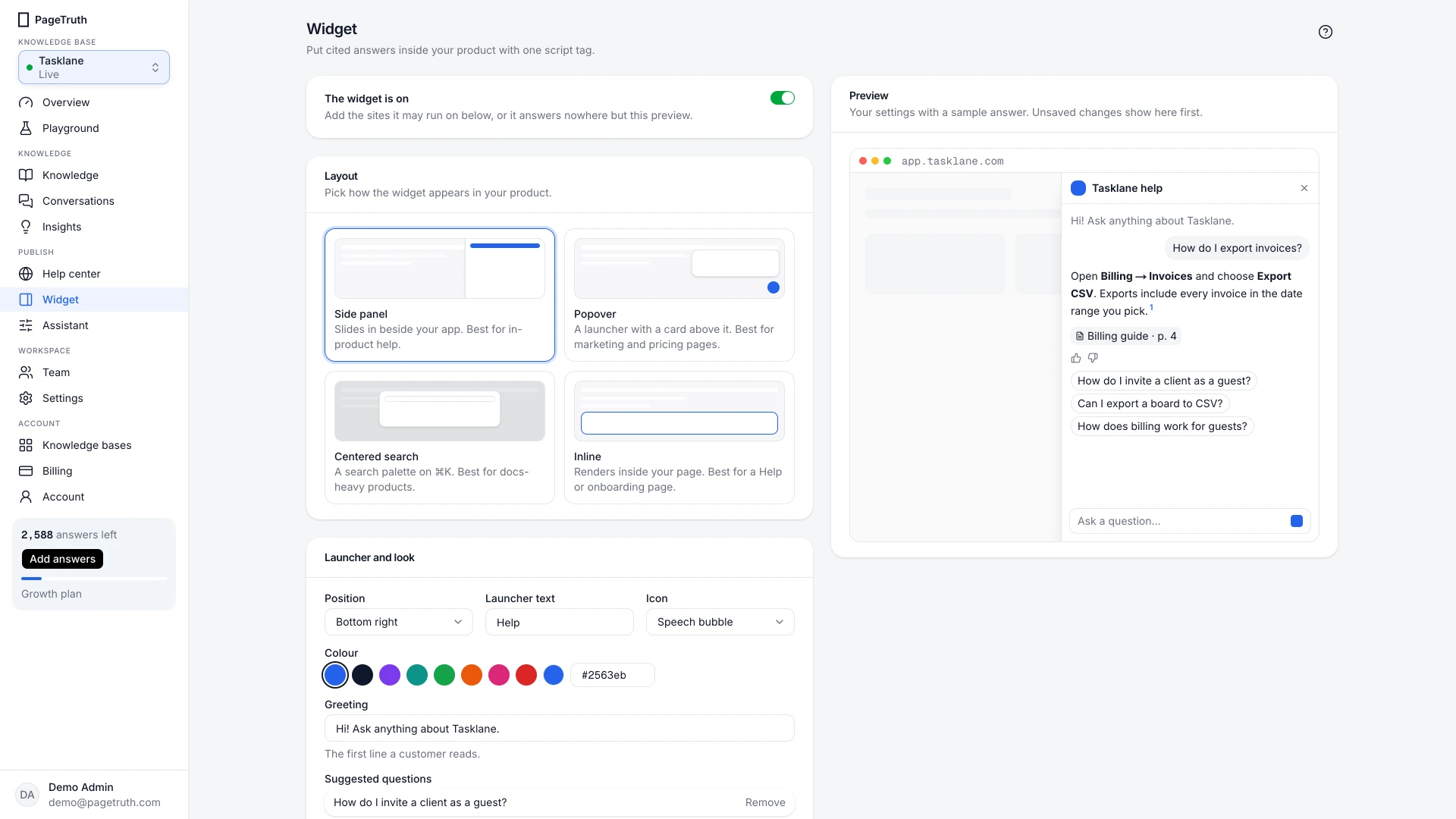
0:06Open Widget. There are four layouts, and the preview shows each one on a sample page.
0:12The popover is a launcher with a card above it. It suits marketing and pricing pages.
0:18Centered search opens with Command K, like a command palette. It suits products with a lot of docs.
0:26Inline sits inside your own page, such as a help or onboarding screen.
0:32The side panel slides in beside your app. It's the best fit for help inside your product.
0:38Turn on Push the page aside, and the panel narrows your page instead of covering it.
0:44Set the launcher text and colour to match your product.
0:48Then list the sites it can run on, so nobody else can spend your answers.
0:53Copy the script tag, and paste it before the closing body tag on every page that should show help.
0:59Save, and every installed snippet picks up the change within a minute.
1:04This is PageTruth's own help center, running the same widget.
1:10The page moves aside, so customers keep reading while they ask.
1:16Your widget is ready. Next, set up your hosted help center.
Before you start
- At least one source shows Ready on the Knowledge page.
- Someone who can edit your product's or website's HTML.
Five steps
Switch the widget on
Choose Widget in the sidebar and turn on Widget on.
Allow your site
Under Allowed sites, add each domain the widget will run on, such as
app.acme.com. The widget only answers on these domains, so nobody else can spend your answers. See Allowed sites.Save
Choose Save changes in the bar at the bottom.
Copy the snippet
Under Install, copy the snippet. It looks like this, with your own key:
<script src="https://pagetruth.com/widget.js" data-key="pk_…" async></script>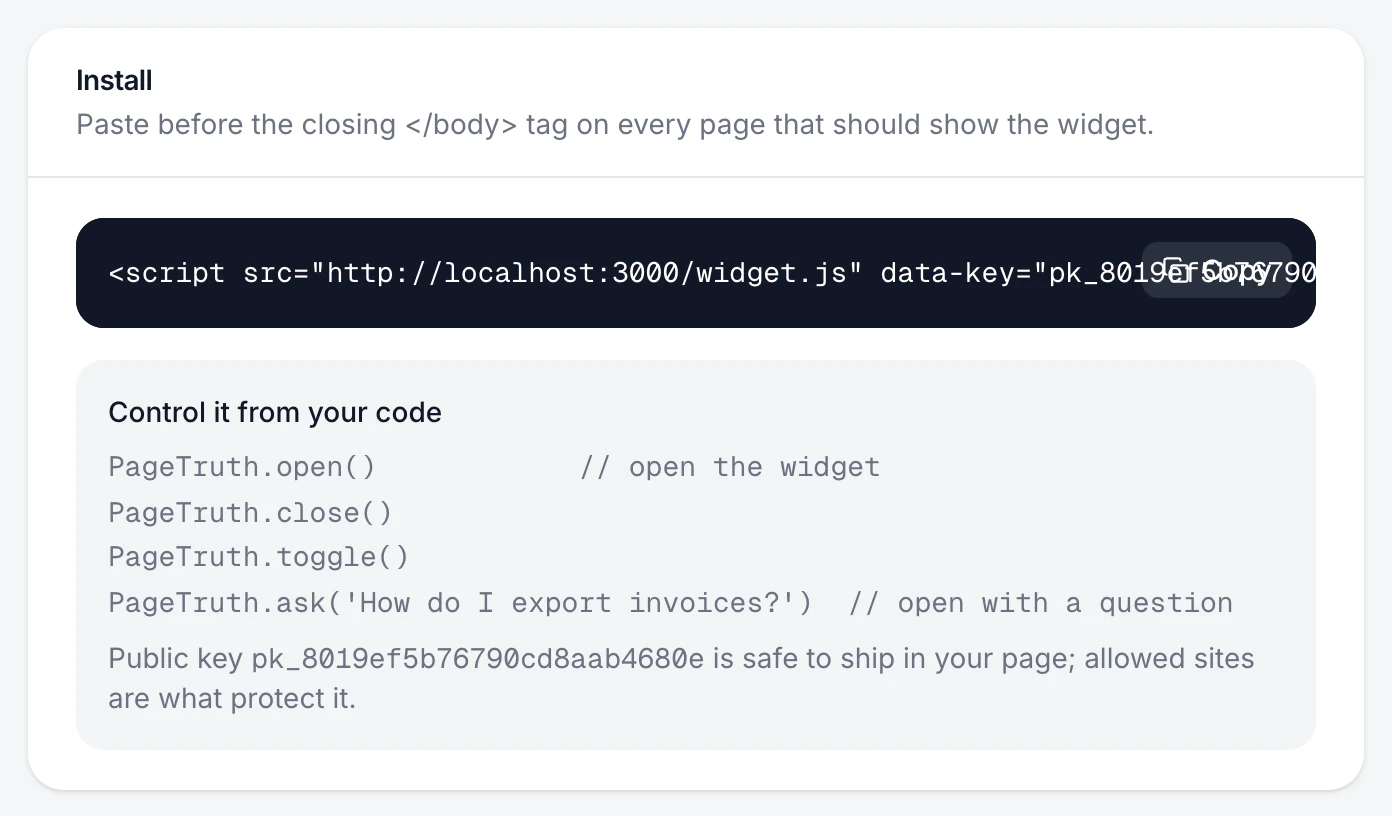
Paste it before the closing body tag
Paste it just before
</body>on every page that should show the widget. In a single-page app, put it in the main HTML file once.
The launcher appears on your site, and a question you ask there shows up under Conversations with the channel Widget.
Turn it off
Turn off Widget on and save. The launcher disappears from your pages without you removing the snippet.
If something's not right
Nothing appears on my site
Work through The widget isn't showing. The most common cause is a domain missing from Allowed sites.
I use the Inline layout
Inline renders inside your page rather than as a launcher. Add <div data-pagetruth></div> where it should appear, as well as the script. Install shows the right snippet when Inline is selected.
I want to open it from my own Help button
Use the JavaScript API: PageTruth.open(). See Control the widget from your code.